
Same day appointments

24/7 virtual appointments from £45
Our clinicians can offer the following if relevant:
- Prescriptions
- Fit Notes
- Open Referrals
.svg)
Same-day prescriptions
Prescribed by GPs, ACPs and PPs, to your chosen pharmacy

Identity verification
Before your appointment you will need to verify your identity with photo ID

Appointment refunds
You can cancel at any time, but we can’t refund cancellations made within 12 hours of your appointment
Expert care, wherever you are
Our online GP consultation service connects you with experienced GPs and Advanced Clinical Practitioners (ACPs), giving you accessible, reliable access to the advice, treatment and support you need — without the hassle of travelling or waiting for an appointment.
24/7 online GP appointments
Available within 2 hours, 365 days a year
Same-day prescriptions when required
Delivered to your home or sent to your nearest pharmacy

Fit notes and referrals
Need to see a specialist? Need a fit note for work? We’ve got you covered.

What is an online GP appointment?
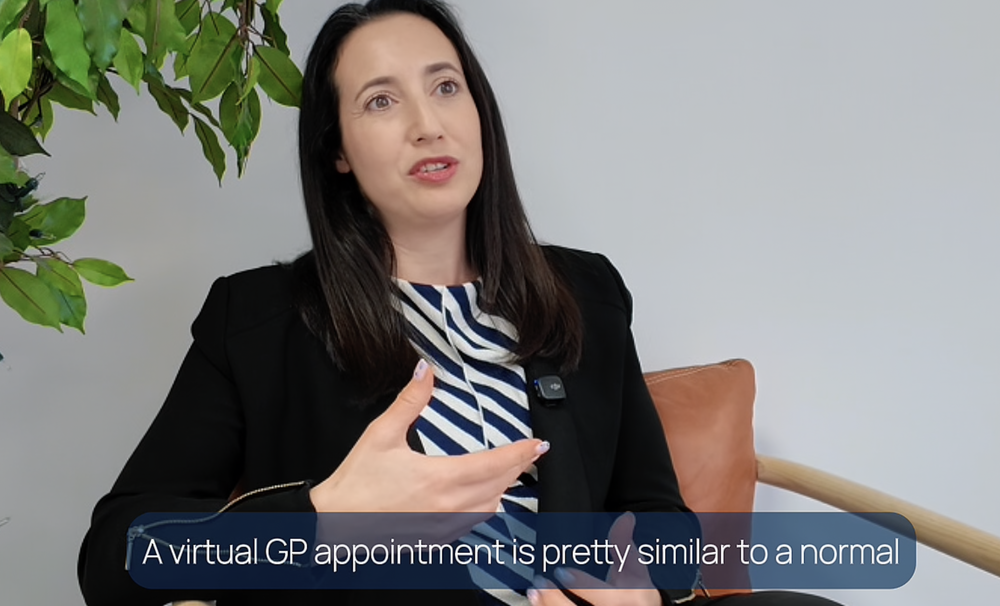
Not sure what to expect from a virtual GP appointment? In this video, Dr Shafier explains how virtual appointments work, what you can discuss with a clinician, and what happens during your consultation.
How it works

Book an appointment
Choose a convenient slot - same-day or in advance.

Speak to a clinician
Create your account and verify your details quickly and securely.

Get real guidance
Get advice, prescriptions, and referrals in one simple consultation.
-dark.svg)
-dark.svg)
-dark.svg)

-dark.svg)
-dark.svg)


Need a fit note?
If you're unable to work due to illness, one of our clinicians can assess you and issue a fit note (also known as a sick note) during your appointment, where clinically appropriate.

Frequently asked questions

Doctor Care Anywhere is not an emergency medical service so we don’t treat emergencies. If you think you have a medical emergency, please call 111/999 or go to your nearest Emergency Department in the UK.
Here are some examples of medical emergencies we don’t treat:
- Medical emergencies
- Trouble breathing/severe shortness of breath
- Chest pain/suspected heart attack
- Suspected stroke or seizures
- Severe pain (especially if started suddenly)
- Severe infections
- High fever in sick children
- Complications that may arise from pregnancy or birth, including those that may require urgent or immediate attention
- Severe bleeding
- Serious injuries to your head, spine or limbs (such as broken bones or burns)
- Severe mental health problems (such as self-harm, suicidal thoughts or psychosis)
- Dental complaints
Some symptoms and conditions cannot be treated online, and you'll need to visit a doctor in person. These include:
- Chest infections
- Urine infections in children under 16 years old, women over 65 years of age, pregnant women and men of any age
- Conditions requiring long-term management (e.g., asthma/COPD flare-up)
While we don’t handle emergencies, we offer appointments for non-urgent medical issues—often within four hours of booking. Many patients secure same-day appointments, providing swift and convenient care for non-critical concerns.
Yes, you can often schedule a same-day appointment, typically within four hours, depending on availability. Appointments with Advanced Clinical Practitioners are available 7 days a week, including bank holidays, from 8AM to 10PM. If you are seeking an appointment outside of these hours, the next available GP appointment will be offered instead.
You’ll find it easier to sign up using an internet connected computer, tablet, or mobile phone as our service is fully digital. The registration process requires you to create an online account, set a secure password (that only you know), consent to our terms and conditions, and upload ID to verify your identity.
While our Patient Experience team is available to assist you, some steps of the registration process cannot be completed over the phone. For more information on how to sign up, please contact our team at 0330 088 4980.
Yes, you can book a GP or ACP appointment over the phone. However, this service is available only to registered and verified members. If you don’t have an account or aren't verified, our Patient Experience Team can guide you through the registration and verification process.
To schedule your GP appointment or get assistance with registration, please call our team at 0330 088 4980 alternatively visit our How to hub
Signing up with Doctor Care Anywhere is quick and easy. Creating an account through our app or website takes just a few minutes. To complete the verification process and book your first GP appointment, you'll need to have your photo ID ready.
Rest assured, verification is a one-time process, and once completed, you'll be able to book doctor appointments whenever you need them.
Yes, we offer accessible GP and ACP (Advanced Clinical Practitioner) appointments to accommodate various needs. If you have a hearing impairment, we recommend booking a video consultation, which includes real-time chat functionality for better communication.
If you're in the UK and use the Relay UK system, please provide your TextNumber as your contact number. This allows us to automatically connect to the Relay UK service during your consultation.
- If you're using the Relay UK app on a mobile device, your TextNumber will start with 07777.
- If you're using a textphone or the Relay UK app on a landline or computer/tablet, your TextNumber will start with +44 (0) 3306.
If you're booking online and don't have a TextNumber but wish to use the Relay UK service, simply prefix your phone number with 18002 when booking.
Yes, both our GPs and ACPs can issue a private prescription (if appropriate) when you're in the UK.
As we are not part of the NHS, we do not provide NHS prescriptions, including repeat prescriptions. However, we can provide one-off private prescriptions.
Our certifications
.png?width=1026&height=324&name=CQC%20logo%20greyscale%20(1).png)



Our Care Pass membership

Pricing
Switch to annual plan to save 1/3 over the year
You're saving 1/3 with an annual plan
-
Ongoing GP appointments, available 24/7
-
Ongoing physiotherapy until recovery and beyond
-
Mental health support, there when you need to talk
-
Appointments available within 2 hours
-
Speak to a clinician whenever you need advice
Our Care Pass membership gives you ongoing access to digital healthcare, helping you manage everyday health concerns and get support quickly when something changes.